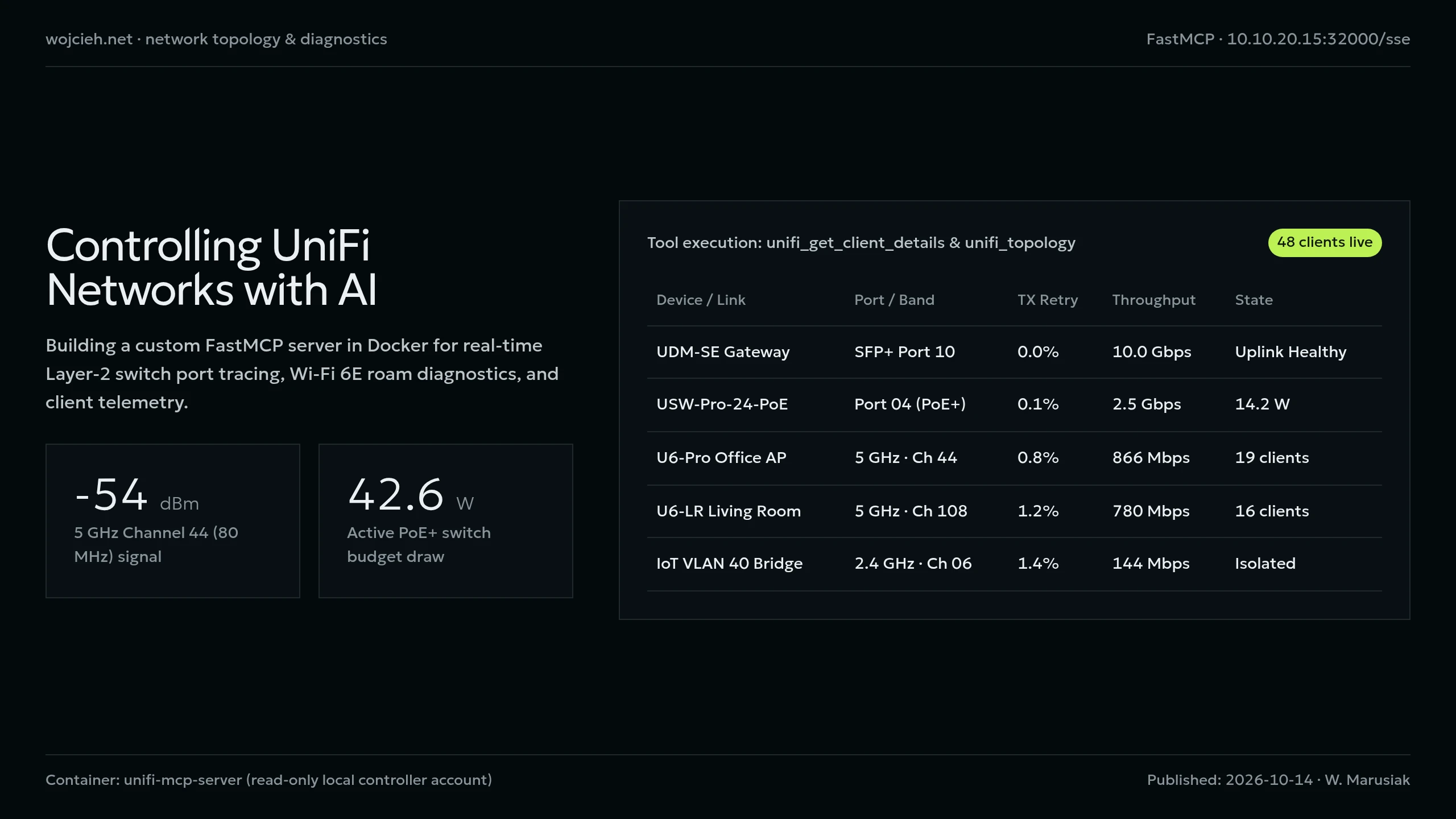
Troubleshooting complex homelab networking issues (VLAN misconfigurations, AP channel congestion, rogue IoT devices, PoE budget limits) usually requires clicking through half a dozen sub-menus in the UniFi Network Controller.
In this post, I explain how we built a containerized UniFi MCP Server that connects your UniFi Controller to AI pair-programming agents like Antigravity, giving the agent live introspection and diagnostic control over your entire network.
Why Expose UniFi to AI via MCP?
Instead of manually logging into 192.168.1.1 to check client lists, an MCP-connected agent can:
- Instant Client Lookup: “Find IP, MAC, and connected switch port for device
esp32-box-voice.” - VLAN & Port Audits: “List all switch ports configured with VLAN 30 (IoT) and check their link speeds.”
- AP Radio Telemetry: “Which Access Point has the highest channel utilization on 5GHz right now?”
- Batch Operations: Execute safe batch operations across multiple switches with structured tool confirmations.
Docker Deployment: mcp-unifi
We run mcp-unifi as a lightweight container on our primary Docker host (10.10.20.15):
|
|
Exposed Tool Definitions
The UniFi MCP server exposes 5 high-impact tools to the agent:
unifi_tool_index: Returns a comprehensive catalog of all network query methods.unifi_execute: Runs targeted API endpoints against the controller (e.g.stat/sta,stat/device,rest/networkconf).unifi_batch: Executes sequential multi-device commands (e.g., restarting PoE on specific ports).unifi_load_tools: Dynamically generates schema definitions for deep network querying.
Example Agent Diagnostic Session:
|
|
Having your network topology available to your AI assistant turns routine network troubleshooting into a single conversational query.