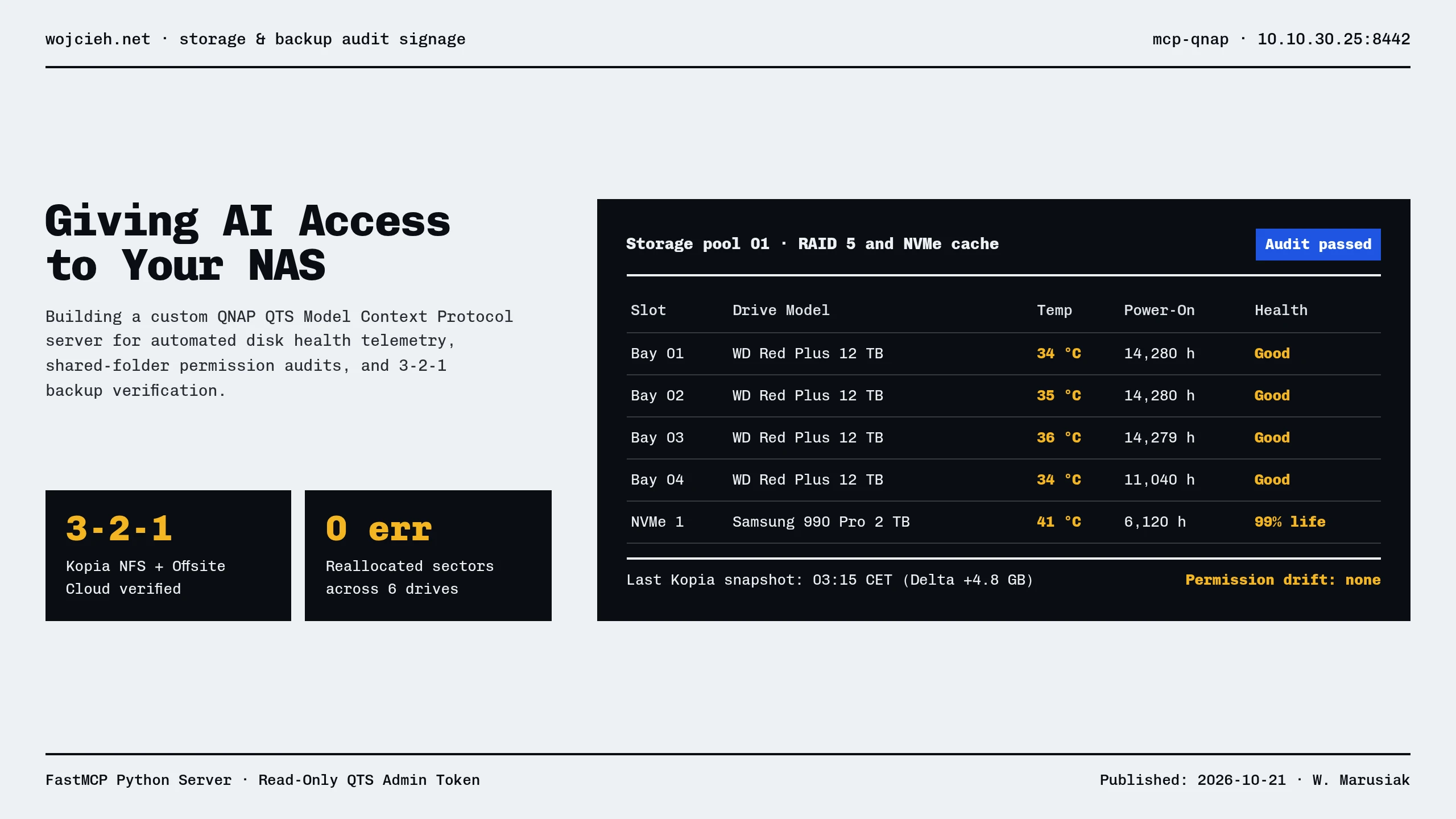
QNAP QTS is a powerful operating system for enterprise and homelab storage, but navigating the web interface just to check drive health, QuLog alerts, or HBS3 replication jobs can be slow and tedious.
In this post, I detail how we built and deployed mcp-qnap—a FastMCP microservice listening on port 8442 that allows Antigravity to perform deep diagnostics, SMART disk inspections, and shared folder ACL audits directly from the prompt.
The Architecture: FastMCP on QTS
We interface with QNAP’s underlying QTS management API using Python and FastMCP. The service exposes read-only endpoints secured with Bearer token authentication:
- Endpoint:
http://10.10.30.25:8442/mcp - Transport: HTTP JSON-RPC
- Auth: Pre-shared API Key in
Authorization: Bearer <token>
What the AI Can Inspect
Our mcp-qnap server registers 25 granular inspection tools:
1. Storage & SMART Telemetry
list_disks/list_storages: Checks NVMe and HDD SMART temperatures, reallocated sector counts, and pool capacity.get_pool_usage_history/get_qts_volume_usage_history: Identifies capacity growth trends.
2. Access Control & Shared Folders
list_shared_folder/get_shared_folder_permission_acl: Audits SMB/NFS permissions and subfolder ACL inheritance.verify_shared_folder_permission: Verifies whether userwojciehor service accountkopiahas write access without guessing.
3. System Load & Security
query_top_processes/query_load_avg: Diagnoses CPU/RAM spikes without SSH logins.get_securitycenter_report/get_qvr_logs: Scans for failed login attempts and firewall blocks.
Real-World Example: Automating 3-2-1 Backup Verification
When verifying our automated Kopia backups to QNAP NFS:
|
|
By connecting your NAS via MCP, your AI assistant becomes a proactive storage reliability engineer.