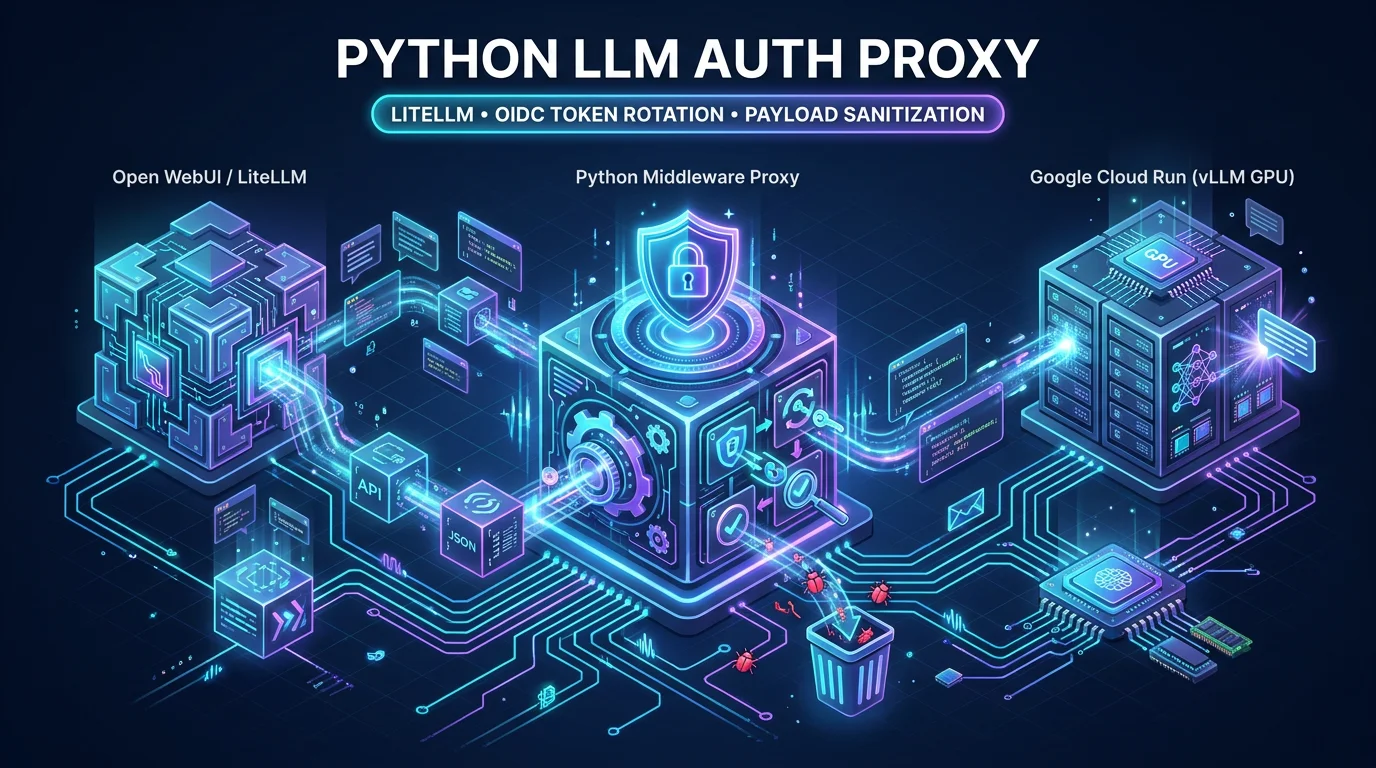
When connecting modern web interfaces like Open WebUI or LiteLLM to remote inference engines on Google Cloud Run, you quickly run into two major technical hurdles:
- Tool-choice Schema Conflicts: Open WebUI automatically injects
tool_choice: "auto" and tools: [...] into every OpenAI-compatible request. Some specialized vLLM builds and distilled models reject these parameters with 400 Bad Request.
- Dynamic OIDC Authentication: Securing Cloud Run behind IAM requires generating fresh Google OIDC identity tokens, which standard OpenAI client libraries do not natively handle.
Here is how I solved both problems by building a lightweight Python Auth & Filtering Proxy.
The Problem Breakdown
When an end-user chats in Open WebUI:
1
2
3
4
5
6
|
{
  "model": "qwen3.8-27b",
  "messages": [{"role": "user", "content": "Hello!"}],
  "tool_choice": "auto",
  "tools": []
}
|
If the backend vLLM instance does not have auto-tool-choice enabled for that specific model branch, vLLM returns:
{"error": "tool_choice is not supported with the current parser"}.
Furthermore, hitting a private Cloud Run endpoint requires an Authorization: Bearer <GCP_OIDC_TOKEN> header that expires every 60 minutes.
The Solution: llm-auth-proxy
We placed a lightweight Python service between LiteLLM and Cloud Run:
1
|
[Open WebUI] ──► [LiteLLM] ──► [llm-auth-proxy (Port 8000)] ──► [Google Cloud Run (vLLM)]
|
The Proxy Implementation (proxy.py)
 1
 2
 3
 4
 5
 6
 7
 8
 9
10
11
12
13
14
15
16
17
18
19
20
21
22
23
24
25
26
27
28
29
30
31
32
33
34
35
36
37
38
39
40
41
42
43
44
45
|
import os
import requests
from flask import Flask, request, Response
from google.auth.transport.requests import Request as GoogleRequest
from google.oauth2 import id_token

app = Flask(__name__)
CLOUD_RUN_URL = os.environ.get("CLOUD_RUN_URL")

def get_oidc_token(audience):
    auth_req = GoogleRequest()
    return id_token.fetch_id_token(auth_req, audience)

@app.route("/v1/chat/completions", methods=["POST"])
def proxy_completions():
    req_json = request.get_json(silent=True)

    # 1. Sanitize JSON payload
    if req_json and isinstance(req_json, dict):
        req_json.pop("tool_choice", None)
        req_json.pop("tools", None)

    # 2. Fetch fresh Google OIDC token
    token = get_oidc_token(CLOUD_RUN_URL)
    headers = {
        "Authorization": f"Bearer {token}",
        "Content-Type": "application/json"
    }

    # 3. Forward stream to Cloud Run
    resp = requests.post(
        f"{CLOUD_RUN_URL}/v1/chat/completions",
        json=req_json,
        headers=headers,
        stream=True
    )

    return Response(
        resp.iter_content(chunk_size=1024),
        status=resp.status_code,
        content_type=resp.headers.get("Content-Type", "application/json")
    )

if __name__ == "__main__":
    app.run(host="0.0.0.0", port=8000)
|
Configuring LiteLLM
In litellm_config.yaml, LiteLLM routes queries to the local proxy instead of directly to GCP:
1
2
3
4
5
6
|
model_list:
  - model_name: Qwen-3.8-27B-BF16
    litellm_params:
      model: openai/qwen3.8-27b
      api_base: http://llm-auth-proxy:8000/v1
      api_key: proxy-key
|
This decoupling ensures that any quirks in frontend payloads are cleaned up before reaching production inference endpoints!