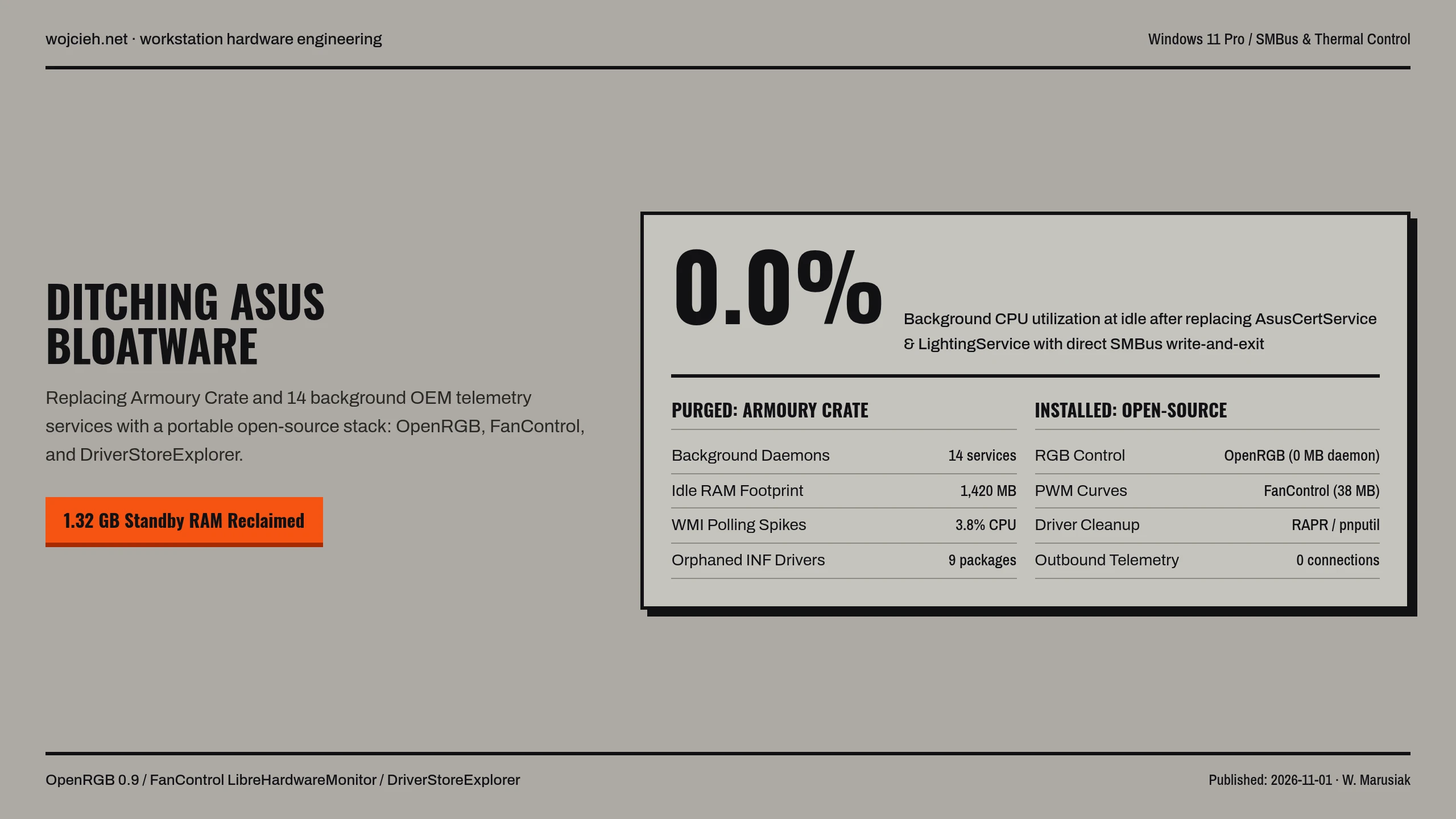
Anyone who has ever built an ASUS-based gaming rig or workstation knows the pain: to control RGB lighting, adjust fan curves, or manage motherboard profiles, ASUS practically forces you to install Armoury Crate and its ecosystem (Aura Sync, Sonic Studio, ROG Live Service, AI Suite).
What starts as a simple lighting app quickly turns into dozens of background services, aggressive telemetry, high idle CPU usage, and mysterious driver conflicts.
After months of frustration, I completely eradicated all proprietary ASUS software from my Windows system and replaced it with a 100% lightweight, open-source stack. Here is how I did it and what tools you need.
The Problem: The ASUS Bloatware Ecosystem
Installing Armoury Crate deploys an astonishing amount of background overhead:
- Dozens of Background Daemons:
LightingService.exe,AsusCertService.exe,ArmouryCrate.Service.exe,ROGSystemKeepAlive.exe, etc. - Audio Bloat: Sonic Studio / Nahimic audio drivers (
NhNotifSys) that conflict with professional DACs and audio interfaces. - Persistent Telemetry & High Idle CPU: Background polling that prevents CPUs from entering deep C-states, reducing efficiency and increasing idle temps.
- Stubborn Uninstallation: Standard Windows ‘Add/Remove Programs’ leaves gigabytes of orphaned drivers and registry keys behind.
Step 1: The Clean Purge
To completely eradicate ASUS bloat without leaving driver residue:
- Official Armoury Crate Uninstall Tool: Run the dedicated standalone cleaner from ASUS support (do not just use Windows uninstaller).
- DriverStoreExplorer (RAPR): Use the open-source DriverStoreExplorer to scan Windows DriverStore and force-delete orphaned ASUS system, lighting, and audio drivers (
asuscert.inf,nhnotif.inf). - BIOS Cleanup: Enter UEFI BIOS settings and disable “Download and Install Armoury Crate app” (otherwise the BIOS will silently inject the installer executable into Windows via ACPI WPBT tables on every boot!).
Step 2: The Modern Open-Source Replacement Stack
Here are the lightweight, community-driven tools that completely replace proprietary OEM software:
|
|
1. Unified Lighting Control: OpenRGB / SignalRGB
- OpenRGB: Completely open-source, zero background CPU usage, and communicates directly with motherboard I2C/SMBus controllers.
- Cross-vendor support: Synchronizes ASUS motherboards, RAM modules, GPUs, and peripherals in a single lightweight profile.
2. Precision Thermal Management: FanControl
- The legendary tool by Rem0o.
- Allows mixing temperature sources (e.g., control case intake fans based on the maximum of CPU and GPU temperatures using custom curves).
- Consumes <10 MB of RAM and 0.0% idle CPU.
3. Clean Audio: Clean Realtek USB/HD Drivers
- Replaced Sonic Studio and Nahimic bloat with clean, stripped driver packages sourced directly from community-verified driver repositories without extra audio enhancement overlays.
The Result: A Quiet, Lean, and Responsive Rig
By transitioning to open-source alternatives:
- Idle CPU usage dropped significantly.
- Boot times improved by removing 15+ startup services.
- RGB and Fan profiles stay persistent without random crashes or forced software updates.
If you are tired of bloated OEM motherboard software taking over your operating system, ditching Armoury Crate for open-source tools is the best upgrade you can make!